Your book, in English.
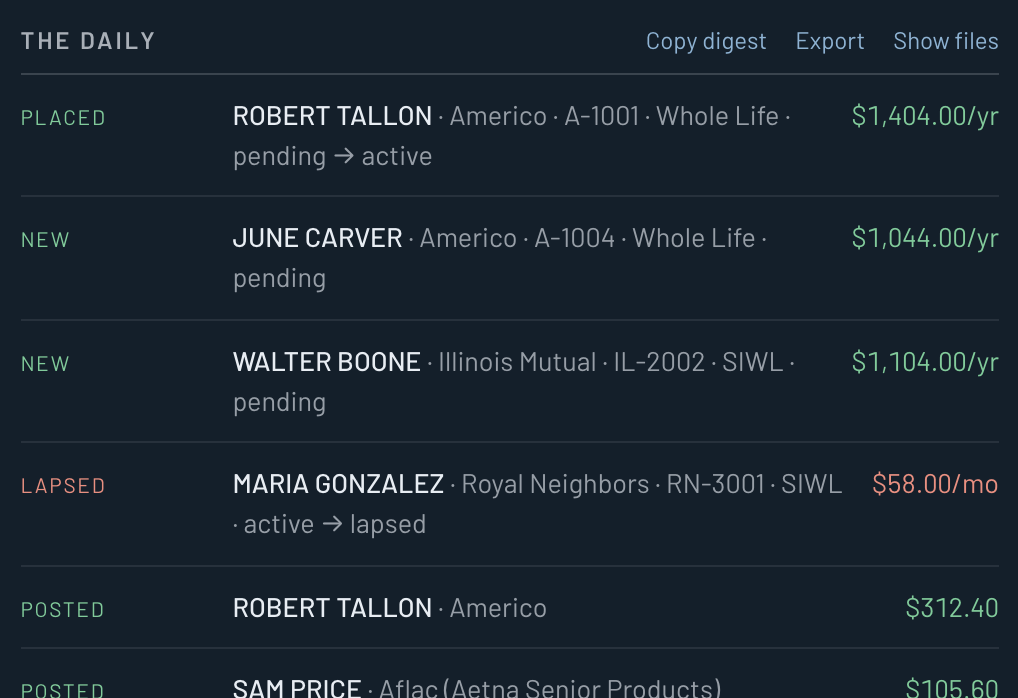
Who placed. Who lapsed. What posted. Written like a text from your assistant, not a dashboard to decode.

For independent life agents
One button. Eight carrier portals. Your whole book — placed, lapsed, posted — read to you in plain English every morning.
Windows 10 and 11. Mac: Apple Silicon or Intel. Needs Google Chrome. Setup guide.
Now it's one button while the coffee brews. The lapse surfaces before your first appointment, not on next month's statement.
Who placed. Who lapsed. What posted. Written like a text from your assistant, not a dashboard to decode.
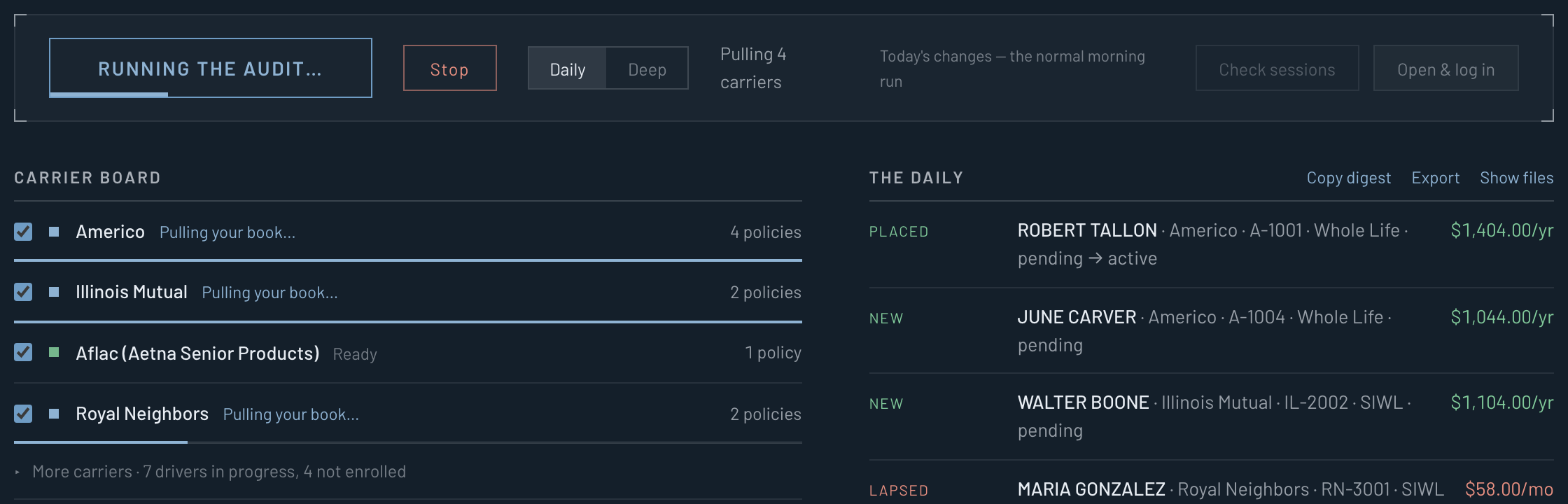
Placed, lapsed, posted, charged back. Copy it, export it, chase the one that matters.
It signs in as you, portal by portal, with live progress. 2FA? You type it. It waits.
No cloud. No server. No one in the middle. It runs on your machine, and it reads.
Logins sit in Windows Credential Manager or the Mac Keychain, the same place your browser keeps yours. Never in a file, never on a server.
Your book stays on your machine. Nothing uploads. No account to make.
It signs in, reads, and leaves. No clicks that touch a policy.
Security codes are yours. It waits while you type them. Never sees them, never stores them.
Missing yours? Email support. Carriers get added when agents ask.
Add your logins tonight. Run it with tomorrow's coffee. Nothing leaves your machine.
Windows: first open says "Windows protected your PC". Click More info, then Run anyway. It installs itself and opens. Once.
Mac: first open says it can't check the app. Click Done, then System Settings → Privacy & Security → Open Anyway. Once. Not sure which Mac? Apple menu → About This Mac, the Chip line.
Needs Google Chrome installed. Windows 10 or 11, or macOS 12 or newer. Step by step.